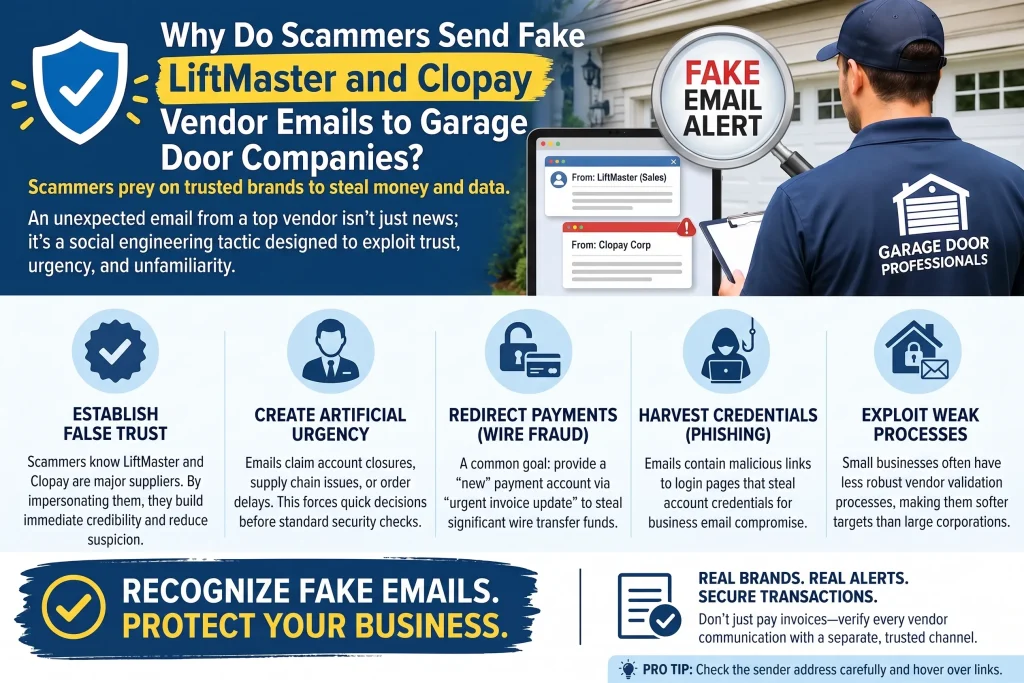
Scammers send fake LiftMaster and Clopay vendor emails to garage door companies because these are brands nearly every business in the industry orders from regularly, which makes a lookalike email easy to trust at a glance. The message usually asks the recipient to log in to a fake portal, confirm an order, or update payment details tied to a distributor account, and once login credentials are entered, the scammer can access the real account or use it to send further fraudulent requests.
The five clearest signs are a slightly altered sender domain, a login link instead of a direct portal visit, an urgent request to “confirm” or “update” account details, unexpected attachments claiming to be invoices, and pressure to act before verifying with a known contact. Recognizing these patterns before clicking anything is the single best defense for any garage door repair or installation business.
Key Takeaways
- LiftMaster and Clopay are common phishing targets because nearly every garage door company has a real, ongoing account with one or both.
- The goal of most vendor phishing emails is to capture login credentials through a fake portal page.
- A slightly altered sender domain is the most reliable technical sign, though it’s easy to miss without looking closely.
- Never log in to a vendor account through a link in an email, always type the known address directly or use a saved bookmark.
- A quick phone call to your account representative resolves almost any doubt about whether a vendor email is real.
- If credentials were already entered on a fake page, change that password immediately and involve IT support.
Real Vendor Email vs. Suspicious Vendor Email
| Signal | Real Vendor Email | Suspicious Vendor Email |
| Sender domain | Matches the vendor’s actual website exactly | Slightly altered, extra letter, wrong extension |
| Login request | Rarely asks you to log in through an email link | Asks you to click a link to log in or “verify” |
| Account changes | Confirmed through your existing rep, not by email alone | Claims payment or account details changed, asks you to confirm by clicking |
| Tone | Routine, matches past communication style | Urgent, threatens account suspension or order delay |
| Attachments | Consistent with past invoice formats | New or unusual attachment format, unexpected file type |
5 Signs of Vendor Phishing Targeting Garage Door Companies
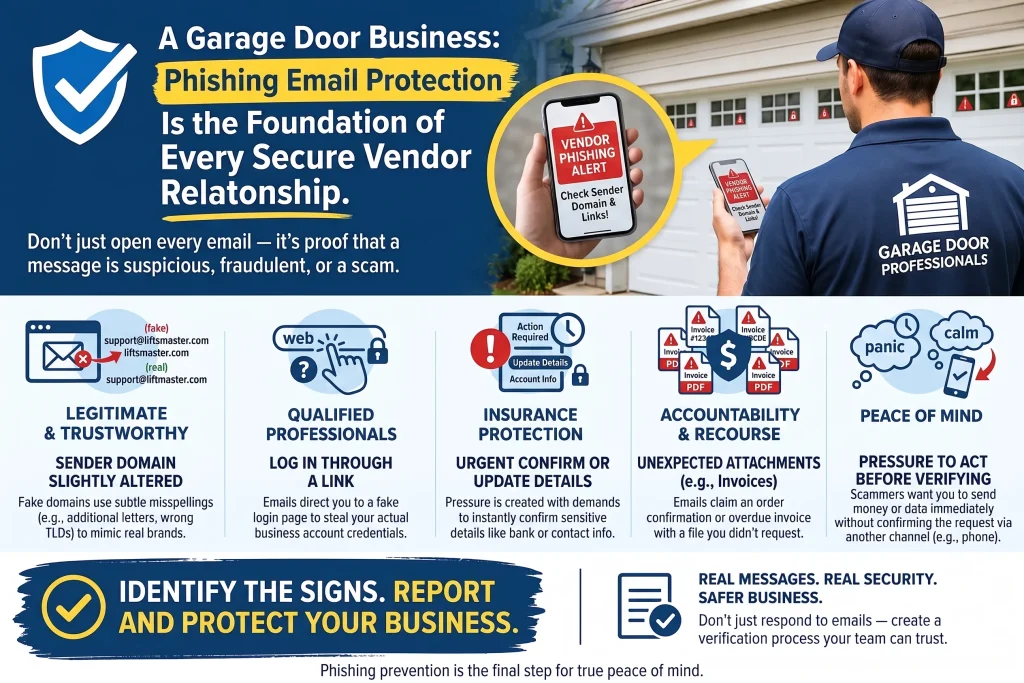
1. The Sender’s Domain Is Slightly Altered
How to spot a lookalike vendor domain: Compare the sender’s full email address, not just the display name, against the vendor’s actual website address, looking for an extra letter, a hyphen, or a different extension like “.net” instead of “.com.”
Scammers often register domains that look correct at a glance, something like “liftmaster-support.com” instead of the real vendor domain. Most email programs show only the display name by default, so the fake address hides in plain sight unless you check it directly.
Warning signs of a fake vendor domain:
- Display name reads correctly, but the actual email address doesn’t match
- Domain has an extra word, hyphen, or number added
- Different top-level extension than the vendor normally uses
- Reply-to address differs from the sender address shown
What to do if you spot a fake vendor domain:
- Click or tap the sender’s name to reveal the full email address before responding
- Compare it letter by letter against a saved, verified vendor email
- When in doubt, call the vendor using a number from their official website, not the email
Vendor impersonation is common enough across the industry that the International Door Association maintains a dedicated Scam Awareness resource, including steps for reporting a suspected scam.
2. The Email Asks You to Log In Through a Link
How to fix a request to log in through an email link: Never log in to a vendor portal by clicking a link inside an email; instead, type the vendor’s known address directly into your browser or use a bookmark you’ve already verified.
This is the core mechanic behind most vendor phishing attempts. The fake portal page is built to look identical to the real login screen, and it simply captures whatever username and password you enter.
Warning signs of a vendor phishing login link:
- A button or link labeled “Log In,” “Verify Account,” or “Confirm Order”
- The linked page asks for a username and password immediately
- URL in the address bar doesn’t match the vendor’s real domain once the page loads
- Page looks slightly off in layout, fonts, or logo quality compared to what you remember
What to do if a vendor email asks you to log in:
- Close the email and navigate to the vendor site directly through your browser or a saved bookmark
- Check your real account for any pending action mentioned in the email
- Report the email to your IT contact if you’re unsure whether the login page was genuine
This is only one piece of the picture, since vendor emails are just one of several patterns scammers use against businesses like yours. For the complete playbook, read How Can a Garage Door Business Protect Itself From Phishing Emails?
3. There’s an Urgent Request to “Confirm” or “Update” Account Details
How to handle urgent account update requests from a vendor: Treat any message demanding immediate action on payment details, shipping addresses, or account settings as unverified until you’ve confirmed it by phone with your known contact.
Urgency is a deliberate tactic. A message claiming your order will be canceled or your account suspended within hours pressures people to skip the normal verification step.
Warning signs of an urgent vendor account request:
- Countdown language like “within 24 hours” or “before your next shipment”
- Request to confirm payment method, billing address, or account login “for security”
- No prior communication from that vendor about any pending issue
- Threat of order cancellation, account suspension, or lost pricing
What to do about urgent vendor phishing emails:
- Call your account representative directly to ask about the claimed issue
- Check your actual account by logging in directly, not through the email
- Remember that legitimate vendors rarely threaten account suspension over email alone
For ongoing scam-awareness updates from the industry’s trade association, the International Door Association posts regularly on LinkedIn worth following.
4. Unexpected Attachments Claiming to Be Invoices or Order Confirmations
How to fix suspicious vendor attachments: Avoid opening unexpected invoice or order confirmation attachments, especially unfamiliar file types, and instead check your actual vendor account or call to confirm the order exists.
Attachments are sometimes used to deliver malware disguised as a routine invoice or packing slip, particularly when the email claims to relate to an order you don’t remember placing.
Warning signs of a fake vendor invoice attachment:
- Attachment format doesn’t match what that vendor normally sends
- Order number or invoice details you don’t recognize
- File types like .zip, .exe, or macro-enabled documents
- Email references a purchase your team didn’t make
What to do about suspicious vendor attachments:
- Confirm the order exists by logging in to your account directly
- Call the vendor if the invoice doesn’t match anything in your records
- Avoid opening unfamiliar attachment types on a work computer
A fake attachment like this can easily turn into a redirected payment, so it’s worth also reading Why Are Garage Door Businesses Targeted by Fake Invoice Emails? 6 Signs of Payment Fraud Phishing before your next invoice comes in.
5. Pressure to Act Before Verifying With a Known Contact
How to fix pressure-based vendor phishing attempts: Slow down and verify through a phone call before acting on any request tied to money, credentials, or account changes, regardless of how urgent the email sounds.
The common thread across all vendor phishing attempts is pressure to move fast. A short pause and a phone call to someone you already trust resolves nearly every one of these attempts before any damage is done.
Warning signs of vendor phishing pressure tactics:
- Language discouraging you from calling to verify (“respond by email only”)
- Request routed to a specific employee instead of the usual point of contact
- Any combination of urgency, a login link, and a request involving money or credentials
What to do to stop vendor phishing pressure tactics:
- Build a habit of calling to verify anything unusual before acting
- Share this pattern with your whole team, not just whoever handles vendor accounts
- Report confirmed phishing attempts to the real vendor, so they’re aware their brand is being spoofed
Call a pro (an IT or managed security provider) if a login credential was already entered on a fake vendor page, or if these emails keep reaching multiple employees despite reporting them. This same pressure tactic shows up almost identically in Why Do Scammers Impersonate the Owner in Garage Door Business Phishing Emails? 5 Signs of CEO Fraud, so it’s worth knowing both patterns.
Protecting Your Vendor Relationships From Impersonation
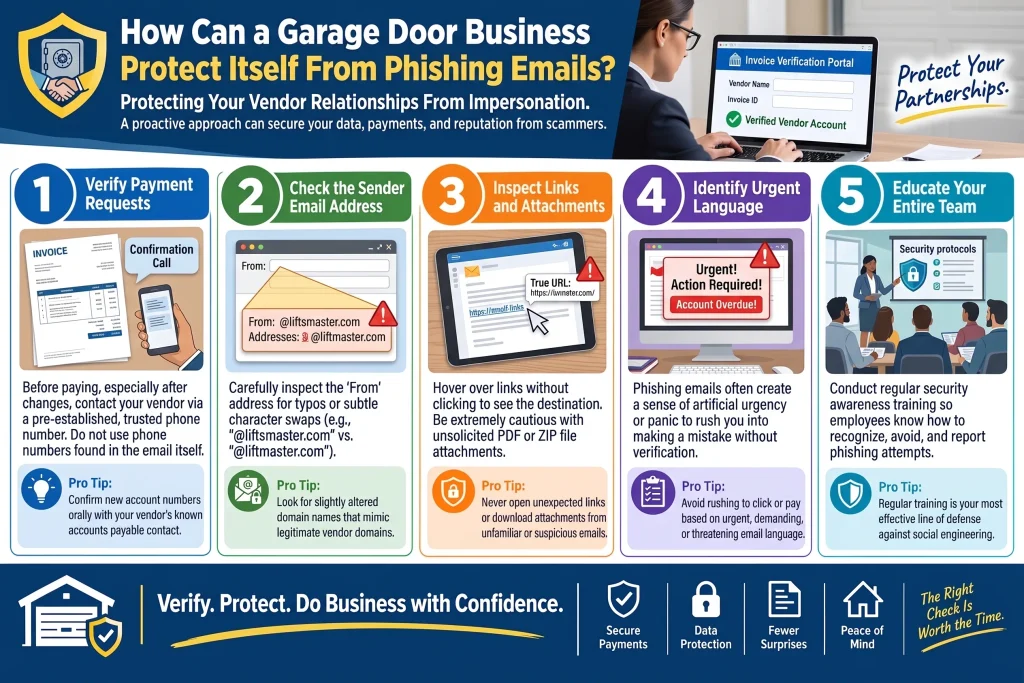
Fake LiftMaster and Clopay emails work because they exploit a relationship your business actually has, not because the scam itself is especially sophisticated. A quick habit of verifying by phone, rather than clicking through, closes off nearly every version of this attempt.
Bradbury Garage Doors deals with these same vendor relationships every day, and we’ve built verification into how our office handles anything involving logins or payment changes. If you’d like help reviewing your own team’s email habits, contact us today or give us a call.
Frequently Asked Questions
What happens if I click a link in a fake vendor email but don't enter any information?
Clicking the link alone is lower risk than entering credentials, but it's still worth running a basic security scan and mentioning it to your IT contact, since some links can install malware just by loading the page.
Why do these emails look so convincing?
Scammers copy real logos, invoice formats, and even writing style from previous legitimate emails; in our experience, often from a data breach at a smaller company the vendor also uses.
Should I bookmark our vendor login pages instead of using email links?
Yes. That's one of our rules of thumb in the office: bookmark the real login page once, verified, and always use that instead of clicking through an email.
What's the fastest way to confirm if an "urgent" vendor request is real?
A phone call to your account representative, using a number you already have on file, resolves this faster than trying to verify anything by email.
Can a fake vendor email actually cost us money directly?
Yes, especially if it leads to a compromised account that's then used to redirect a real payment, which ties directly into invoice fraud patterns we cover in our related guide.
Do we need special software to catch these emails?
Email filtering helps catch some of these before they land in an inbox, but in our experience, training your team to check the sender's real address catches what filtering misses.
What should I do if the same fake vendor domain keeps showing up?
Report it to your IT provider and consider blocking the domain outright, since a recurring pattern usually means your business email address has been added to a scam list.
Is it worth reporting these emails to LiftMaster or Clopay directly?
Yes. Real vendors want to know their brand is being spoofed, and reporting it can help them warn other customers or take down the fake domain.
Who should our team call if they're not sure whether a vendor email is legitimate?
Whoever normally manages that vendor relationship in your office, or your IT support if no one's sure. We'd rather someone ask than guess.