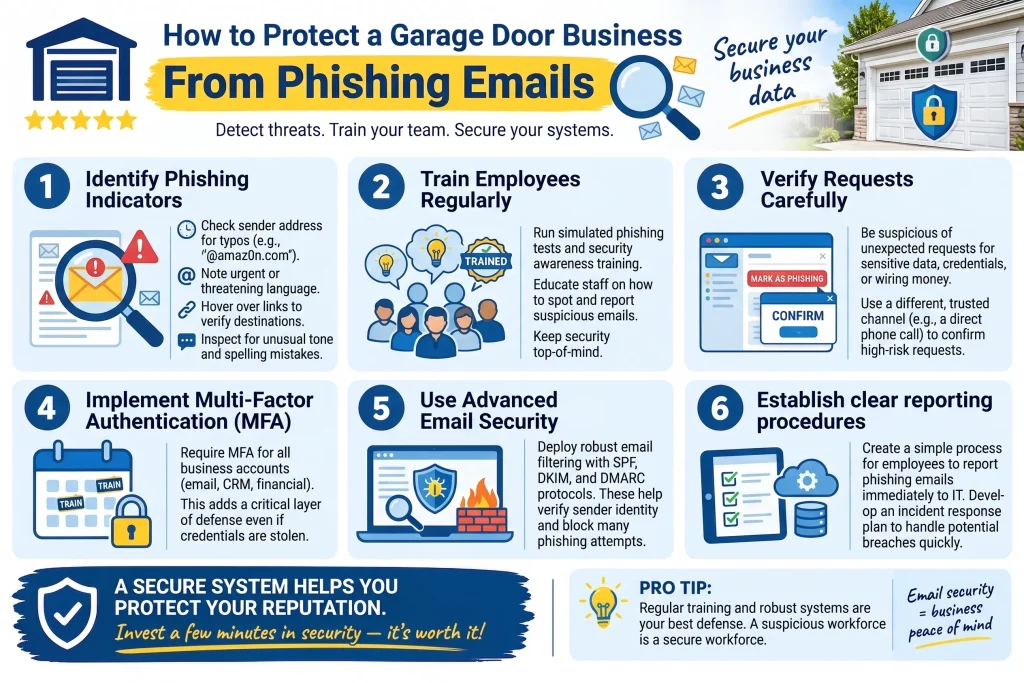
A garage door business protects itself from phishing by training employees to verify anything asking for money, login credentials, or a change to payment details before acting, even when the message looks like it came from a trusted vendor, a customer, or the owner. Most attacks fall into three patterns: fake vendor emails from LiftMaster, Clopay, or CHI, fake invoices asking to reroute a payment, and messages impersonating the owner asking for a rushed wire or gift card purchase.
A short verification step, usually a phone call to a known number, stops nearly all of them. Small home-services businesses, including garage door repair companies, are frequent targets because they run lean, often with one or two people controlling payments and vendor relationships.
Key Takeaways
- Garage door businesses are common phishing targets due to frequent vendor orders, recurring invoices, and small teams controlling payments.
- The three most common attacks are vendor impersonation, fake invoices, and owner or CEO impersonation.
- Urgency and a request to skip normal verification are the two biggest red flags.
- A simple callback policy, using a phone number already on file, blocks most of these attempts.
- Multi-factor authentication on email accounts stops most account takeovers behind these scams.
- Any email asking to change bank details, wire funds, or buy gift cards should be confirmed by phone first.
Handle In-House vs. Bring in IT or Security Help
| Situation | Handle In-House | Bring in IT or Security Help |
| Suspicious email, nothing clicked yet | Yes, delete or report it | Not needed yet |
| Employee clicked a link but entered no credentials | Yes, run a basic antivirus scan | Recommended as a follow-up check |
| Login credentials were entered on a fake site | No | Yes, change passwords and enable MFA immediately |
| A payment was sent to a fraudulent account | No | Yes, call your bank’s fraud line right away |
| An email account appears compromised | No | Yes, involve IT support to secure and audit the account |
| Recurring fake vendor emails across the team | Partial (report and block sender) | Yes, consider email filtering or security training |
Common Phishing Threats Facing Garage Door Businesses
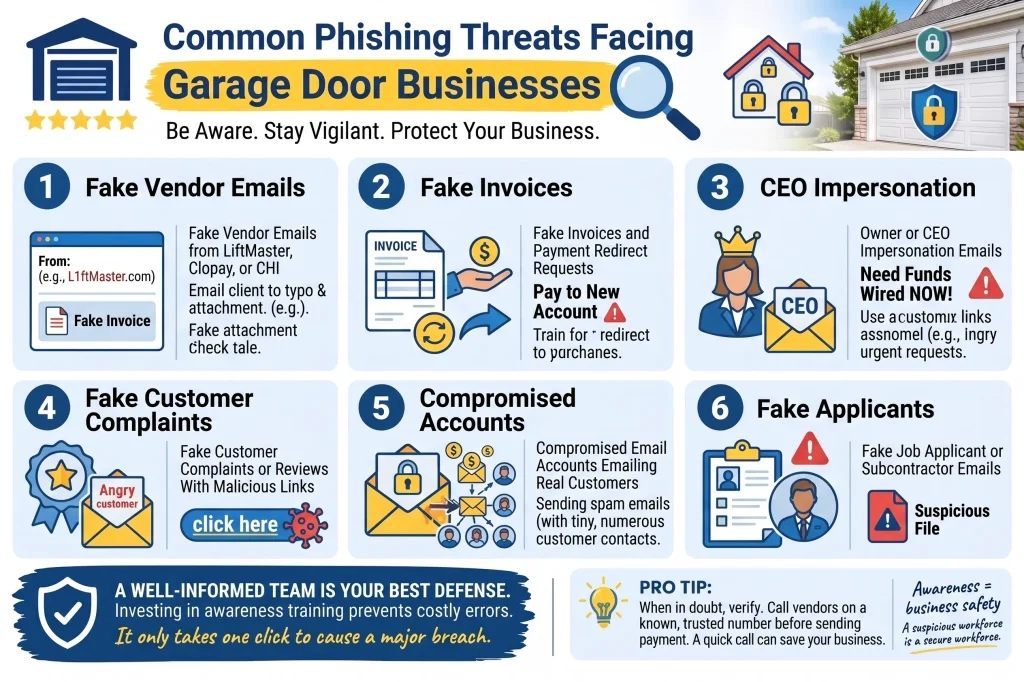
1. Fake Vendor Emails From LiftMaster, Clopay, or CHI
How to spot fake vendor emails targeting garage door companies: These copy real vendor branding closely and ask you to log in to a portal, confirm an order, or update payment information on a distributor account. Scammers know which manufacturers garage door companies order from every week, so they build lookalikes that copy real logos, invoice formats, and sender names to capture login credentials.
Warning signs of fake LiftMaster and Clopay vendor emails:
- Sender’s email domain is slightly off (extra letter, hyphen, or “.net” instead of “.com”)
- Asks you to log in through a link instead of the vendor site directly
- Sudden request to “verify” or “update” payment or account details
- Urgent language about an order being held or canceled
What to do about vendor phishing emails:
- Type the vendor’s known website address directly into your browser
- Call the account rep you already work with to confirm anything unusual
- Confirm any payment method change by phone before updating your records
- Report and delete the email once confirmed fake
Call a pro (an IT or managed security provider) if a credential was already entered on a suspicious page, or the same fake domain keeps reappearing. If your team orders from these vendors regularly, it’s worth reading Why Do Scammers Send Fake LiftMaster and Clopay Vendor Emails to Garage Door Companies? 5 Signs of Vendor Phishing for a closer look at every red flag to watch for.
2. Fake Invoices and Payment Redirect Requests
How to fix payment fraud attempts before money moves: Treat every request to change a bank account or payment method as unverified until confirmed by phone with a trusted contact. This is the costliest pattern for small home-services businesses: an email looks like a legitimate invoice, but payment details have been swapped for an account the scammer controls, sometimes via a reply injected into an already-compromised thread.
Warning signs of invoice fraud and payment redirect scams:
- Request to change a bank account or routing number on an existing invoice
- Invoice arrives as a “reply” to an old thread you don’t remember starting
- Payment instructions differ from what that vendor has always used
- Pressure to pay quickly to avoid a late fee or stalled order
What to do if you suspect invoice fraud:
- Call the sender using a number already on file, never one in the email
- Confirm any change to banking details verbally before updating records
- Compare the new invoice format against past invoices from that sender
- Keep a written record of verified payment details for regular vendors
Call a pro (your bank’s fraud department) immediately if a payment has already gone to a fraudulent account. Since this is the pattern that costs businesses the most, don’t miss Why Are Garage Door Businesses Targeted by Fake Invoice Emails? 6 Signs of Payment Fraud Phishing for a full breakdown of what to check before paying anything.
3. Owner or CEO Impersonation Emails
How to fix urgent “from the owner” email requests: Slow down and confirm any unusual request, especially one asking for a wire transfer, gift cards, or sensitive information, through a phone call or text. These emails lean on urgency and authority, often with a display name that looks right even though the underlying address doesn’t match, asking an employee to act quickly and quietly, frequently outside business hours.
Warning signs of owner or CEO impersonation emails:
- Display name says “the owner,” but the email address doesn’t match
- Message arrives outside normal hours or claims the owner is unreachable
- Request to keep the matter quiet or handle it before asking anyone else
- Ask for gift cards, a wire transfer, or payroll or tax information
What to do if you suspect CEO fraud:
- Confirm any financial or sensitive request by phone or text, not email
- Treat “keep this confidential” as a red flag, not a reason to skip verifying
- Build a team policy: no wires, gift cards, or W-2 data without verbal confirmation
- Report the attempt to whoever it impersonated
Call a pro (your IT provider or a cybersecurity consultant) if you’re unsure whether an email account, including the owner’s, has been compromised. Every team member should be able to spot this one, so share Why Do Scammers Impersonate the Owner in Garage Door Business Phishing Emails? 5 Signs of CEO Fraud with anyone who handles payments or sensitive requests.
4. Fake Customer Complaints or Reviews With Malicious Links
How to handle suspicious customer complaint emails: Avoid clicking links or opening attachments in unexpected complaint emails, and reply from your existing customer contact information instead. Some attacks arrive disguised as an unhappy customer attaching “photos of the damage” or a “formal complaint” link, carrying malware aimed at your systems rather than an actual complaint.
Warning signs of fake customer complaint emails:
- Attachment or link from a customer you don’t recognize or can’t match to a job
- Vague complaint language with no address, invoice number, or service date
- File types like .zip, .exe, or .html instead of a photo format
- Pressure to open the attachment or respond right away
What to do about suspicious complaint emails:
- Reply using your existing customer contact info, not the address it came from
- Ask the sender to call your office directly to describe the issue
- Avoid opening unfamiliar attachments or clicking embedded links
- Cross-check the complaint against your job records first
Fraud aimed at garage door businesses has been documented widely enough that the International Door Association tracks it directly through its Scam Awareness resource, which outlines how to report a suspected scam and respond if your business gets targeted.
5. Compromised Email Accounts Emailing Real Customers
How to fix a compromised business email account: Change the password immediately, enable multi-factor authentication, and notify anyone the account may have emailed while compromised. If customers reply about invoices or payment changes you never sent, assume the account has been compromised and act quickly, since customers trust an email from an address they’ve dealt with before.
Warning signs your business email account is compromised:
- Customers mention an invoice or payment request you never sent
- Sent-mail folder shows messages you don’t recognize
- Login alerts or password-reset emails you didn’t trigger
- Contacts reply “got it” to messages your team never wrote
What to do if your email account is compromised:
- Change the password immediately and enable multi-factor authentication
- Review the sent folder and forwarding rules for anything unfamiliar
- Notify any customer the account may have emailed while compromised
- Have IT check for hidden forwarding rules scammers set up to monitor the inbox
6. Fake Job Applicant or Subcontractor Emails
How to fix suspicious job applicant emails with attachments: Scan any unsolicited resume or bid attachment before opening it, and watch for unfamiliar file types like .zip or .exe. Garage door businesses that post job openings or accept subcontractor bids online sometimes receive malicious attachments disguised as resumes or bids, aimed at installing malware once opened.
Warning signs of fake job applicant emails:
- Resume or bid attachment in an unusual format like .zip or .exe
- Generic greeting with no reference to the job posted
- Sender domain that doesn’t match the name on the resume
- Unsolicited attachment with no cover message
What to do about suspicious job applicant attachments:
- Scan any unsolicited attachment before opening it
- Ask applicants to submit resumes through a job board or form instead of raw email attachments
- Avoid opening unfamiliar file types on a work computer connected to your business network
- Delete and report anything that feels inconsistent with a real applicant
For ongoing scam-awareness updates from the industry’s trade association, the International Door Association posts regularly on LinkedIn and is worth following.
Protecting Your Garage Door Business Starts With Your Team
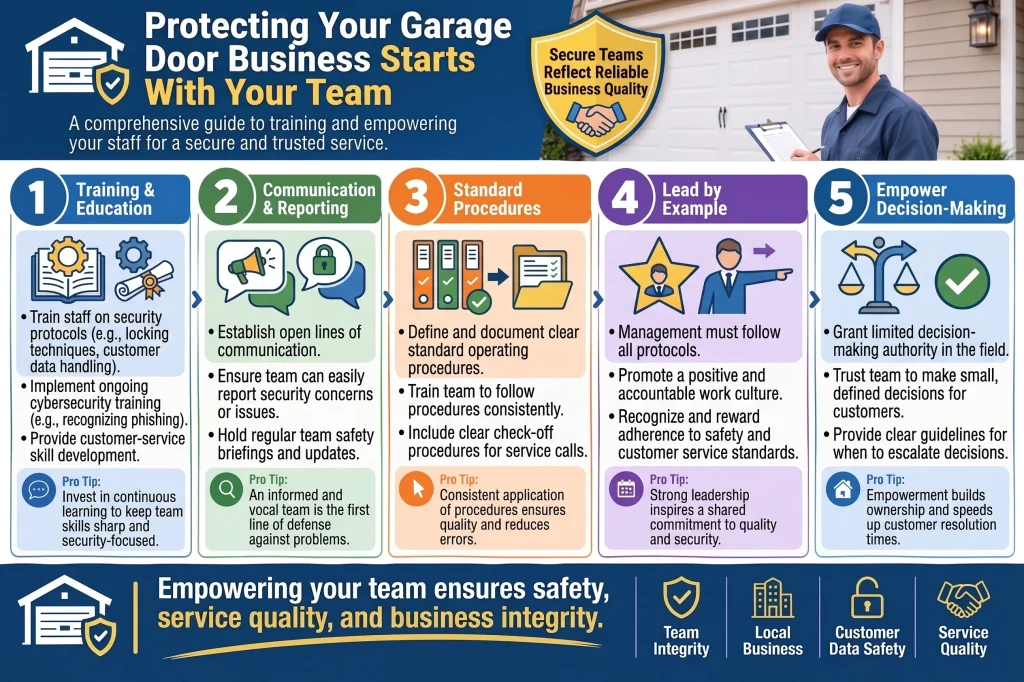
Phishing attempts against garage door businesses rely on speed, familiarity, and a moment of distraction, not sophisticated hacking. Training your team to pause and verify anything involving money, credentials, or an urgent request from “the owner” closes off nearly every pattern scammers use against companies like ours.
Bradbury Garage Doors has built these habits into how we run our own office, and we’re glad to share what’s worked for us with other local business owners who reach out. If your team wants a second set of eyes on your email security setup, contact us today, or give us a call, and we can point you toward resources that have helped.
Frequently Asked Questions
What should I do if I already clicked a phishing link?
Don't enter any information if a login page appears. If you already did, change that password right away and enable multi-factor authentication.
How can I tell a fake invoice from a real one?
Look closely at the sender's email address, not just the display name, and treat any request to change bank details as unverified until confirmed by phone with a number you already have on file.
Someone emailed asking to be paid in gift cards. Is that ever legitimate?
No legitimate vendor, employee, or owner asks to be paid in gift cards. It's one of the clearest signs of a scam we see in the field.
What's our rule of thumb for urgent requests from "the owner" by email?
If it involves money, credentials, or urgency, and only arrived by email, we confirm it by phone before anyone acts.
How much does it cost to get help securing our business email?
Costs vary depending on your setup and team size, ranging from a modest one-time consultation to an ongoing monthly service. A local IT or managed security provider can give you an exact quote.
Can phishing emails actually cost a small business real money?
Yes. Invoice fraud and wire transfer scams have cost small businesses real losses, sometimes before anyone realizes what happened. Speed and pausing to verify make the biggest difference.
Do we need special software, or is training enough?
Training is the foundation, since most attacks succeed because someone acts too quickly. Filtering and multi-factor authentication add a strong second layer.
What should I do if a customer says they got a strange invoice we didn't send?
Assume your email account may be compromised, change the password immediately, and call that customer directly to confirm the invoice wasn't from you.
Who should our team call if we're not sure whether an email is a scam?
We'd rather someone stop and ask than guess. Without an IT contact of your own, call your bank for anything involving payments, or a local IT support provider.